
Home / Features / Client Portal
Client access without giving away the workspace
The reason clients end up emailing for status is that the alternative is worse: a login to a tool built for your team, showing them nine things they should not see. Beemud's portal shows a client their projects, their tasks, their documents and their conversation — scoped by permission, not by asking people to be careful.
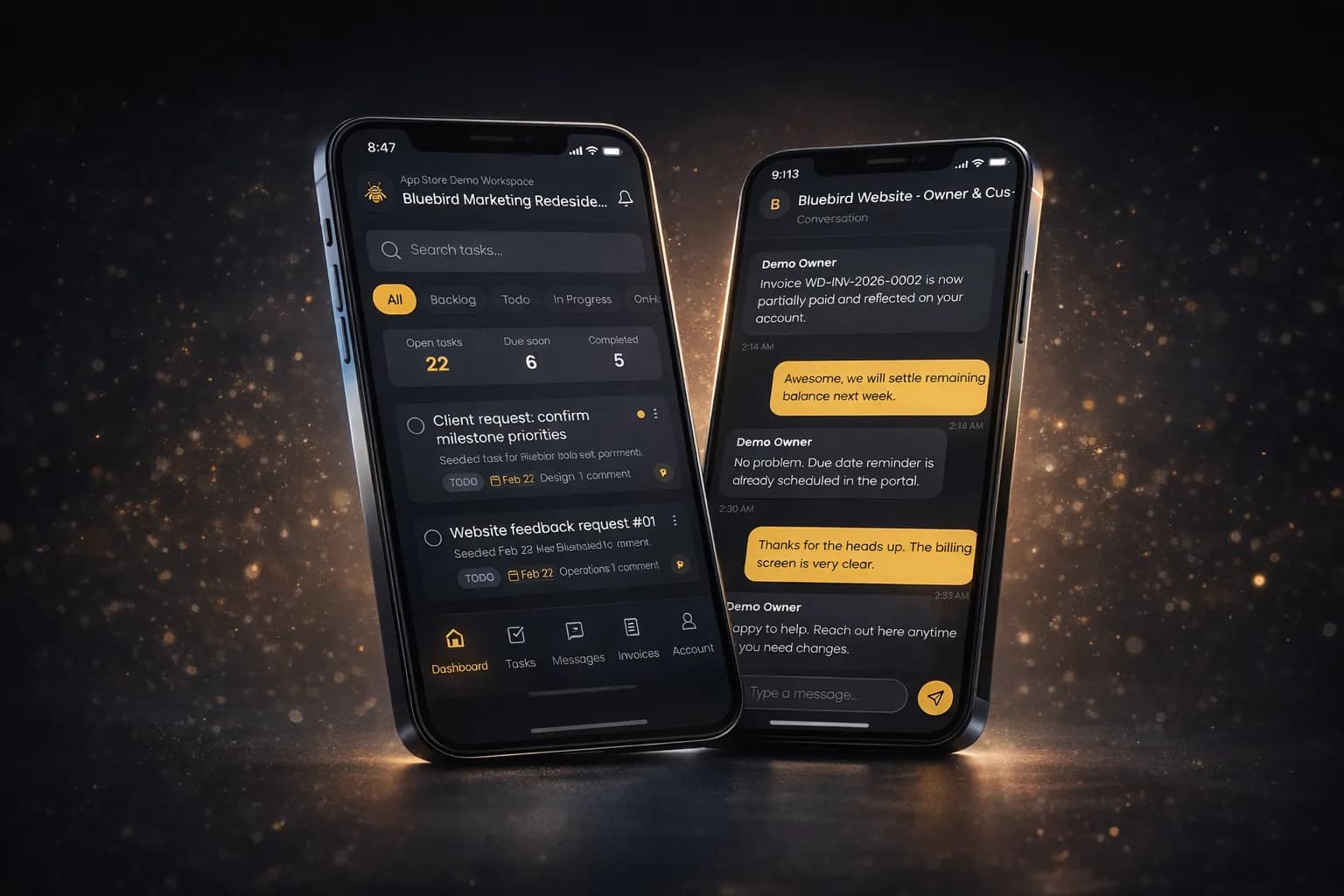
What's included
- Permission-scoped project and task views
- Client-raised task requests
- Shared files from the project locker
- In-portal chat with the delivery team
- Contracts, proposals and invoices by secure link
- Beemud Client app for iOS and Android
- Invitations with per-project roles
Scoped by permission, not by convention
Clients are invited with a role that determines what they can open. They see the projects they are on, the tasks within them, the files shared to them and the documents addressed to them. Internal topics, other clients and your team's own notes are not hidden behind a tab — they are not in the response.
Requests that arrive as work
A client can raise a task request from the portal. It lands in the project as something you can triage, assign and schedule, rather than as a message that has to be read, understood and re-typed by someone on your side before it becomes real.
On the phone, where clients actually are
Beemud Client is a native app for iOS and Android covering the portal: tasks, messages, invoices and account. Documents that need a signature or a payment can also go out as a plain secure link, for the clients who will never install anything.
Client Portal questions
- Do clients need to pay for a seat?
- No. Seats are unlimited on every plan, including the free one. Adding clients or teammates never changes the price.
- Can clients see other clients' projects?
- No. Portal access is permission-scoped per project. A client can only open the projects they have been invited to and the tasks, files and documents within them.
- Is there a mobile app for clients?
- Yes. Beemud Client is available for iOS and Android, covering project tasks, messaging, invoices and account settings.
Works with the rest of the workspace
Client Portal is not a separate product. It shares the same workspace, contacts and permissions as everything else in Beemud.
- Messaging
Conversations attached to the work
Every message sits on the project or task it is about, so decisions stay findable after the thread scrolls away.
- Projects & Tasks
Project delivery, fully visible
Projects, topics and tasks in one place, with an activity trail on every change so nobody has to ask where something stands.
- Contracts & Invoices
Proposals, contracts and invoices in one flow
Send a proposal, get a contract signed, invoice against it and take the payment — without a document ever leaving as an email attachment.
Included on every plan, free one included
No seat limits, no per-project caps, no feature gates. Only AI usage is metered.